
 Z Proof of Payment for Wix
Get paid by GCash & bank transfer — without chasing screenshots.
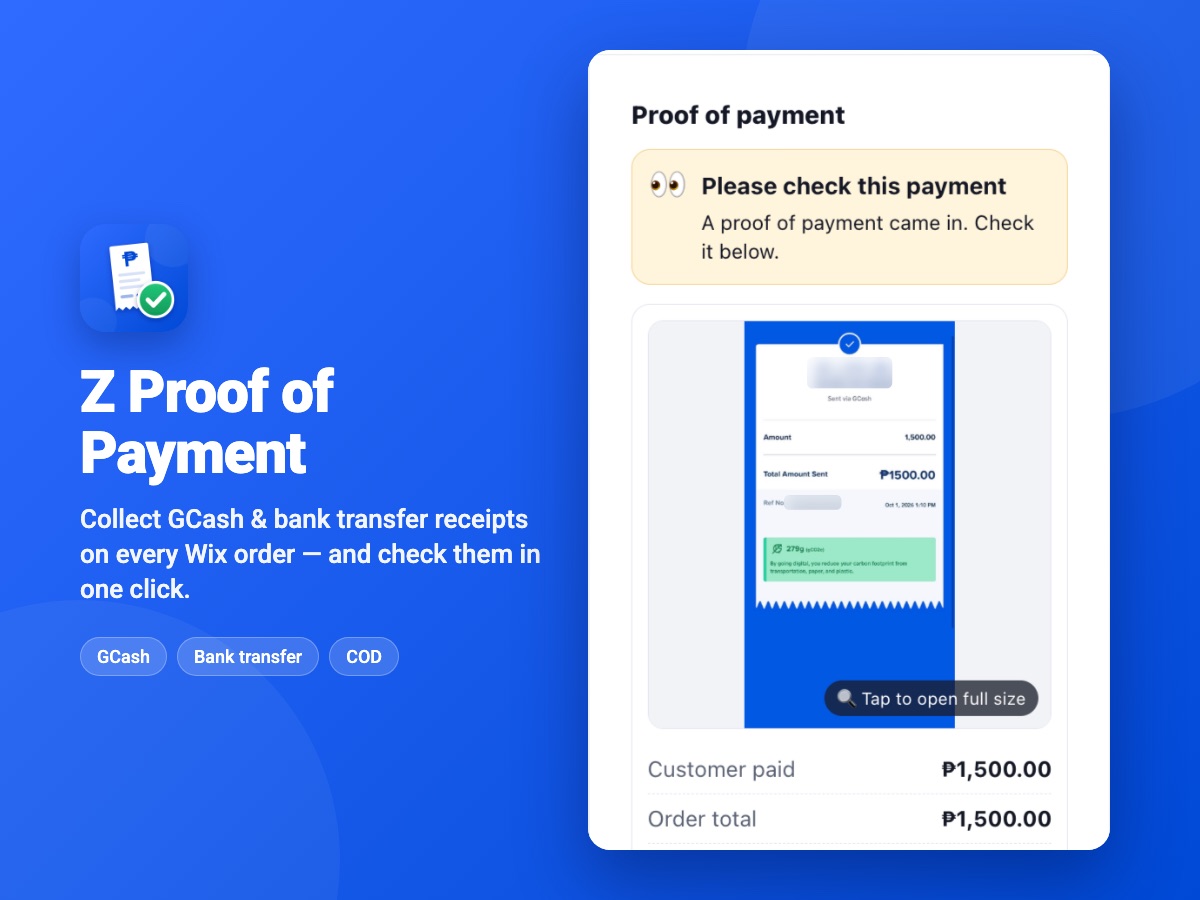
Customers upload their receipt straight to their Wix order. Staff upload the ones that come in on Messenger. Everyone checks them in one place, right inside the order.
How it works
Send the link
From the Wix order, tap Send upload link and paste the message in Messenger, Viber or SMS.
Customer pays & uploads
They screenshot your GCash QR, pay, and upload the receipt. The amount is pre-filled.
Staff check it
The receipt appears on the order with “✓ Amount matches”. Tap Yes, payment is correct.
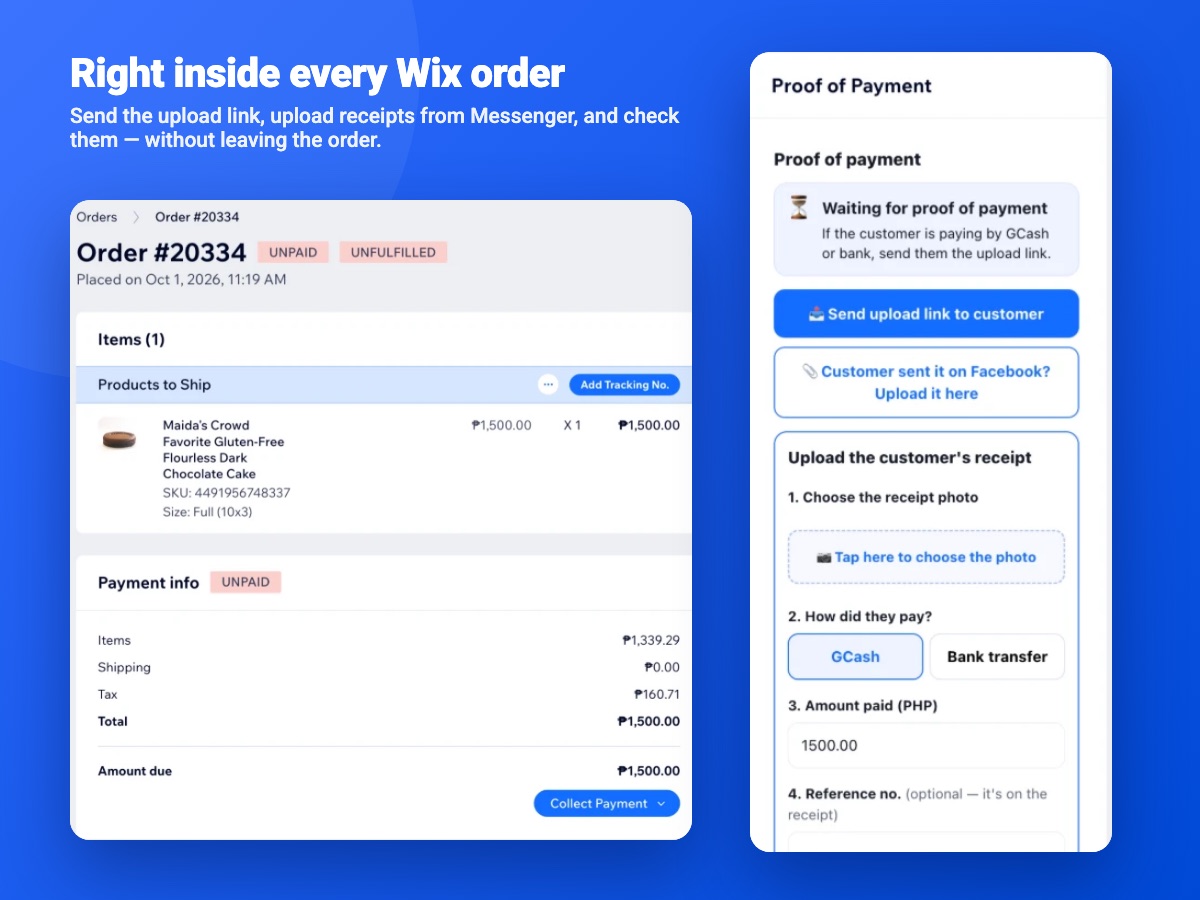
Right inside every Wix order
- Customer uploads from a phone-friendly page with your logo, GCash QR and bank details.
- Staff uploads for receipts sent on Facebook or in person.
- COD, GCash or Bank picker on every order, with matching order tags.
- Marks orders paid, if you want. Turn it on and a checked receipt records the payment on the Wix order. Leave it off and your admin uses Collect Payment.
- Private receipts, stored securely and opened only through signed links.
Keep your own GCash. Pay one flat fee.
Customers pay straight to your own GCash number or bank account. We never touch the money and never take a cut of a sale.
Payment gateway
PayMongo's published GCash rate. On ₱100,000 of GCash sales that is ₱2,230, and it grows as you sell more.
Z Proof of Payment
Up to 250 proofs a month, whatever the size of each sale. A person on your team checks each receipt.
Gateway rate from paymongo.com/pricing, October 2026. A gateway confirms payments automatically; with this app your staff confirm them.
Simple pricing
14-day free trial on both plans. No setup fee. Billed securely through Wix.
Basic
250 proofs of payment per month
Unlimited
No limit on proofs of payment
Opens Wix, where you choose your site and plan and start your free trial.
Questions stores ask
Do I need a payment gateway or a GCash merchant account?
No. Customers pay to the GCash number, QR code or bank account you already use. The app only collects the receipt and attaches it to the order.
Does the app mark my orders as paid?
Only if you turn it on. By default your staff check the receipt and your admin records the payment in Wix with Collect Payment. Switch on "Mark the order paid when a proof is checked" in Payment settings, and tapping Checked records the GCash or bank payment on the Wix order, so it shows as paid.
Is the receipt verified automatically?
No. The app shows whether the amount typed in matches the order total, but a person on your team confirms the money actually arrived.
What if the customer sends the receipt on Messenger instead?
Your staff upload it for them from the order page. It lands on the same order, in the same list to check.
Does my customer need an account or an app?
No. You send them a link. It opens a phone-friendly page with your logo, the amount to pay, your payment QR and an upload button.
Who on my team can use it?
Anyone who can open your Wix dashboard. Staff use it in the Wix dashboard in a browser; the Wix Owner mobile app does not show app panels yet.
What happens if I go over 250 proofs on Basic?
Uploads keep working, so a customer's proof is never lost. You will be asked to move to Unlimited.
Is there a free plan or a free trial?
Both plans start with a 14-day free trial. There is no free plan after that: you pay monthly through Wix in your local currency, and you cancel in Wix.
What do I need to install it?
A Wix site with Wix eCommerce (Wix Stores). Your store name, logo and currency are pulled in automatically; you only add your payment details.